“King Kong! The Eighth wonder of the world!” Said Dr. Brent Yorgensen, Professor of Theory at Brigham Young University School of Music. My role was to combine all the media elements for this world premiere concert. The 1933 film of King Kong was a classic of its time, and a pioneer of film score.
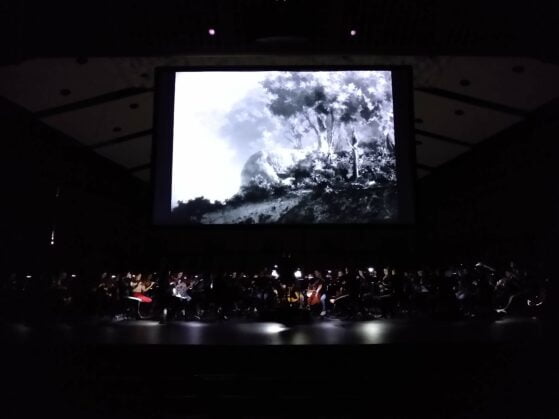
This article will help explain the journey that the production team went through to produce a successful performance with one of the most primitive movie scores done by Max Steiner - the father of the movie score. Brigham Young University is lucky to have over 350 scores of Max Steiner's life (learn more about the Max Steiner Institute). The entire film score was composed and recorded in just eight weeks. Because of the era, click tracks and streamers (more on this later) weren't invented yet. Therefore Max relied on watching the film and landing at key points in order to get the music just right. Many that have grown up to watching the era of Max Steiner had the pleasure to be able to watch the film, through its reconstructed Blu-Ray digital format in a much restored higher resolution, edited for dialog only movie track, and a 120 person live orchestra to perform along to the 1 hour and forty-five minute movie. The entire event was the first time ever that BYU has performed the movie score to a movie live and the first time ever that a reconstructed score of King Kong has been performed.
This entire project is about Max Steiner and bringing back his great work. I feel there is always a need to connect with our past so that we can better understand our future. Therefore, Thank You to Max Steiner and the influence he has had on the world.
Brent and others have spent almost an entire year preparing this project for its debut on November 2nd, 2019 at the Harris Fine Arts Center in Provo Utah. However, that last few steps was to create a way that we can have all the media elements performing together in synchronous harmony with the conductor. That is the focus of this article
Absolutely first step is to obtain the rights to do this. I'm not going to cover this in detail as I was not involved.
A Click Track
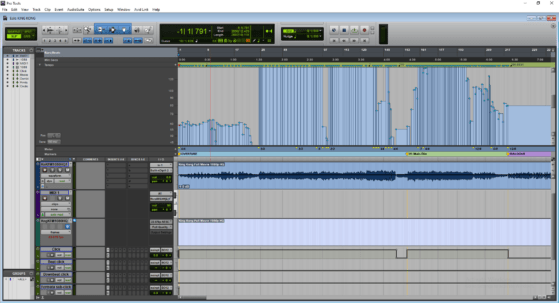
The click track would be a very crucial element of the performance since the film never had consistent tempo markings EVER. Much work was taken to notate in the music and score important and key timings that would help navigate through the movie. The clicks were created through a use of Finale and Pro Tools. The orchestra navigated through six versions of the click tracks. The industry standard in using UREI clicks, which use an indeterminate pitch to prevent bleed. We also experimented using pitched clicks to have difference between downbeats and regular beats. Surprisingly, we found that pitched click tracks didn't bleed through the orchestra (and 105 members had an in-ear assisted listening device for the click track).
Dr. Katseanes, the conductor for the orchestra to be performing along the film requested that every student have the click track. This posed a very heavy financial difficulty, since the technology doesn't really exist to provide 105+ members with an wireless, in-ear click track. After completing some research, we opted to use Listen Technologies 72Mz Assisted listening devices, since they cost about $200/piece. Using the older analog systems reduced latency between the computer and the orchestra members ears. Simple ear buds and closed style headphones were used by the orchestra.
The Film, with no music
Taking a mono film from 1933 and remove the music is no small-feat. In today's capabilities, often it is easy to remove the center from a stereo track (this is where the dialog resides). However, for a mono audio track, Using an adaptive equalizer and lots of manual work (plus a few other plugins and such), was able to reduce the film to just dialog, however not completely perfectly. Max Steiner left some original recordings of sound effects in the movie that were also added back in after removing the music to keep those elements. Some of the screaming was also removed as well.
The Video... and Film Streamers?
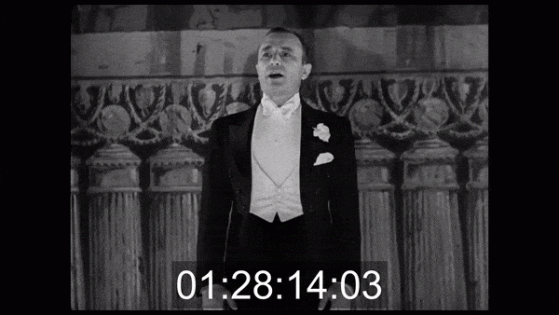
Luckily, there is a remastered Blu-Ray edition of King Kong. The original film was used and captured in full HD format, while restoring and removing artifacts.
Another important and crucial element is actually a visual cue for key marks that music starts, stops, and when to end fermatas. Film Streamers are used in full practice in today's filming stages. With doing some research and trial and error, we ended up creating streamers for the beginning of every scene (in a different array of colors), landing moments with the film, when to stop playing, and cues for a click track countdown of the corresponding tempo. There are a wide variety of fermatas of varying lengths that would be almost impossible to get just right without the use of a visual cue. We opted to use Reaper with the streamer script found of Github to generate the video streamers.
Video streamers are colored bars the typically move from the left side of the screen to the right. They are followed by a "punch", literally coming from them hold punching directly on the film. It lasts one frame and creates a wide circle in the middle of the frame. This is used to signal the beat. The colored lines help to know what is coming up, with about 3 seconds to anticipate.
For aligning media elements to be perfect in time I used Adobe Premiere with timecode to reference all my audio and video tracks.
The Setup and Equipment
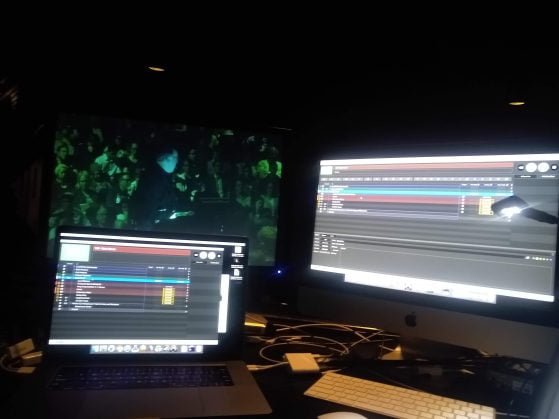
The master computer rendering and outputting all of our elements was Figure 53's software Qlab. Qlab is the broadway industry standard and can handle very complex programming. A grpahical interface with using Dante Virtual Soundcard into a Yamaha Rivage mixing console helped to route our layers of audio. The qlab machine would be playing back these elements:
- The main video (and subtitles) for the audience
- The video with streamers, burned-in timecode, and countdowns for the conductor and displayed to the orchestra
- The movie with dialog ONLY for the audience
- The click track for the conductor and orchestra
- A original movie track (and a button for the conductor to trigger if ended up getting off)
A backup machine running Qlab was also programmed with use of a video switcher and MIDI commands between the Rivage Mixing console to trigger an immediate backup of audio and video if needs be. We only had one chance to get this right and we needed to be sure it worked 100%.
Another reason for using QLab and Adobe Premiere was to render our videos into Apple ProRes 422 Proxy format, which runs best with Qlab. I wanted to tax the qlab machine as little as possible because essentially it would be playing back two full hd screens and three wav files for over an hour and a half. I wasn't concerned about whether or not it could do it, but do it consistently and keep timecode between all the elements (the 2015 Apple Mac Book pros have thermal issues).
Setting-up Media for Rehearsal with an Orchestra
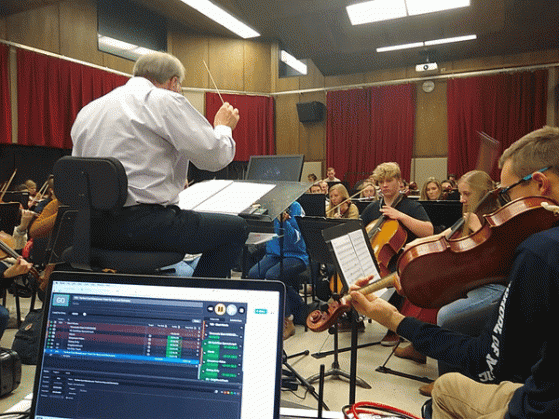
With under two weeks for the orchestra to learn and be able to perform this challenging piece was no small feat. This means that we would be jumping around to different scenes in the movie, and all of our elements had to be aligned. Qlab has a feature called Jump to Time and can jump all of our media elements with ease. I also used a software called Bit Focus Companion with a hardware physical device called a Stream Deck, basically a programmable button interface that I could press to jump to scenes, pause or stop playback, and provide other functions. This was crucial for rehearsals since time was very pressing. It was successful at helping reduce the downtime to get the media elements together for playback.
I do not own these materials. They are materials of the respective copyright holder.