During the height of covid-19, virtual choirs rose in popularity among eager musicians seeking to do something to create music together. Many would consider Eric Whitacre as the virtual choir pioneer. Having thousands successfully participates from the far corners of the Earth makes things seem simple, right? Not so fast.
During the beginning of covid and after the many cancelled concerts and performances, BYU Men's Chorus put together a virtual choir of current students and alumni.
Watch the 400 person virtual choir here:
Challenges of doing a Virtual Choir
What do these two products have to do with how we did a virtual choir?


1) Making it easy for participants
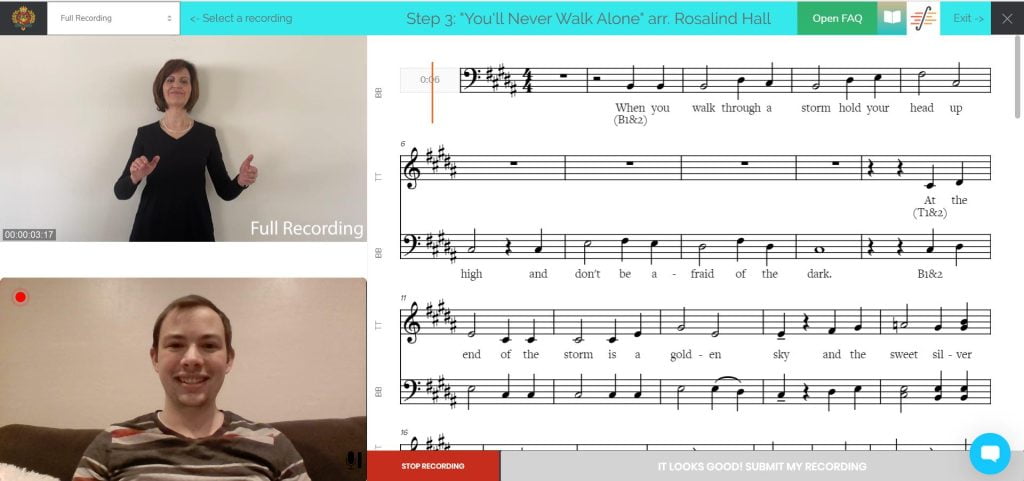
Every step of the collection, rehearsal process, and submission needed to be simple. We didn't want participents to have to deal with printing sheet music, finagling with phone tripods, or audio issues on computers. So we opted too do everything in a web browser.
Google Chrome offers a way to leverage webcameras and microphones into common programming languages. In the end we dealt with over 700 files, both video, audio and pictures of the participants.
To aid with the frontend website, we used our exisiting WordPress website a built a custom plugin on top of it to control each aspect of these API's:
- Playing the Music back to the headphones
- Scrolling the Music
- Playing the Conductor video for the singer to follow along with
- Capturing the webcamera and starting each recording in sync with the playback
- Capturing the audio from the webcamera and letting the user know about proper audio levels.
Each participant was required to create an account on the WordPress website to gather basic information and the part they'd wish to sing
Using that information we attached their name to a file structure sorted by part type along with other unique identifying parameters to help us located and track each submission between video and audio post production. We didn't want to loose anybody.
2) Practicing the parts
Printed parts simply wasn't an option. We didn't want to expect people during covid to have to deal with sheets of paper... and it can ruin a recording really fast.
We found a service called Sound Slice, which offers synced music scrolling (which is responsive to web screen sizes) and syncs the scrolling to both a video file and audio files (notice the plural). We embedded each of our parts into soundslice and aligned the different parts together to follow along perfectly to the music.
No longer do people have to scroll or print music - it just does it autiomatically.
We setup some practicing pages for participants to rehearse the music and get familiar with the layout and parts they were singing. Not without some notes from the conductor.
Here is what that software looks like:
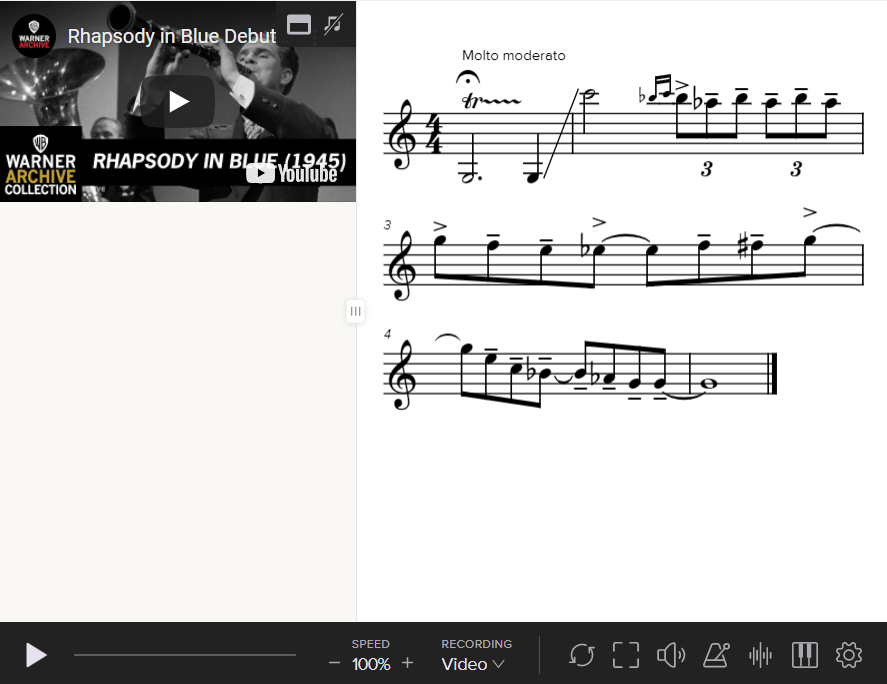
Here is a demo of their product
3. Submitting the Recording
We didn't want to have to deal with 500 video file types of each participant. We also didn't want the participants to have to deal with uploading anything as we'd be expected to answer tech questions for days.
So we used a service called addpipe.
Add pipe allowed us to capture web cameras and audio from the web browser of each participant, handle, transcode, and store it all in the cloud. Thus removing any need for uploading or handling of files by each participant.
We also attached metadata to each submission such as the unique identifying parameters to the filename so that we could track across post production. When a new submission was added, it added a row to our Google Sheet using Zapier so that we could easily track each submission as the collection period commenced.
Issues
- We didn't' account for the different framerates that Addpipe would encode each web camera into. Thus making things significantly more difficult for the post video work to be done
- We only selected the best sounding submissions to include in the audio mix. Only slightly supplemented by a backing track, we resembled previous Men's Chorus recordings styles and techniques.